Smartling Contextual Editor
Optimizing your translation workflow with context-aware quality checks and cloud-native management in Smartling.
Login & Project View
Access the Smartling editor with your credentials. Once logged in, review the project name, job name, word count, and deadline carefully.
Editor Interface
The Smartling dashboard provides a high-level view of your assigned tasks. Ensure you have the correct project context before starting translation.

Quality Assurance Tab
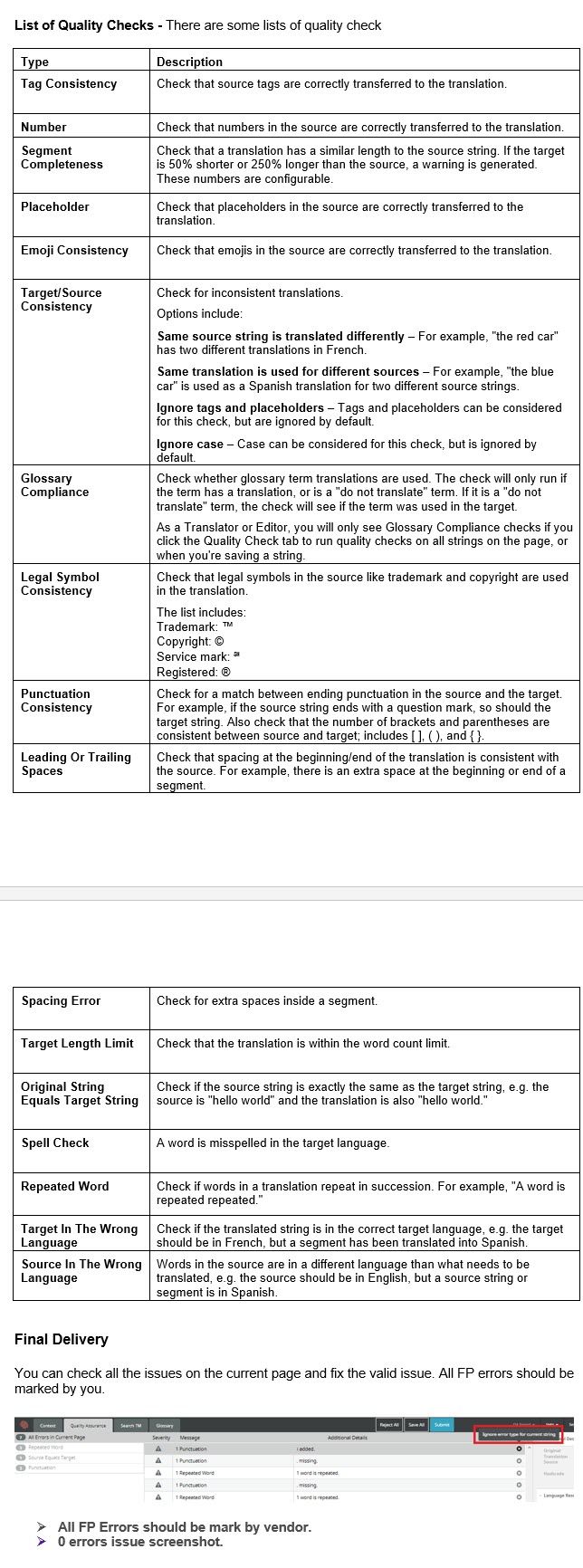
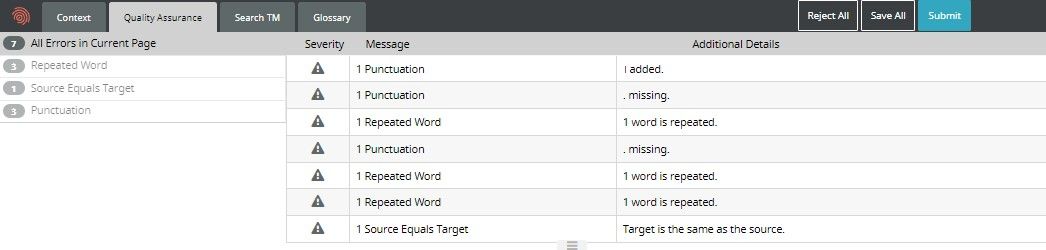
Smartling has a dedicated Quality Assurance tab. Clicking it reveals all errors on the current page, such as tag mismatches or glossary violations.

Page-by-Page Verification
If your project has multiple pages, you must run the QA check on each page individually to ensure 100% accuracy across the entire job.
Final Completion
Once all errors are resolved or ignored (with proper justification), the page count and QA status will reflect a 'Clean' state ready for delivery.