QA Distiller Masterclass
Professional verification for complex localization projects. Learn how to manage omissions, inconsistencies, and terminology across multiple platforms.
Introduction & Support
QA Distiller is a powerful, independent tool supporting over 90 languages and a wide range of formats including TMX, XLIFF (Trados, MemoQ, Worldserver), and TBX.
Omissions & Consistency
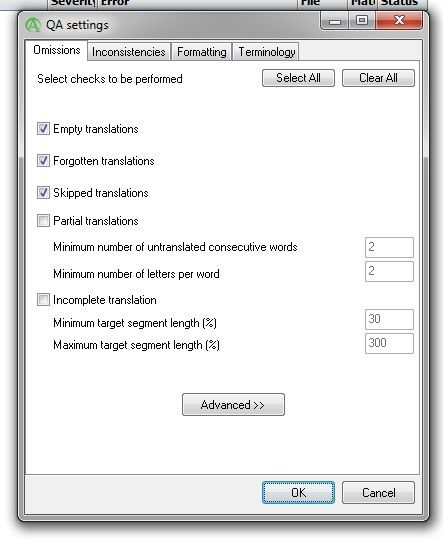
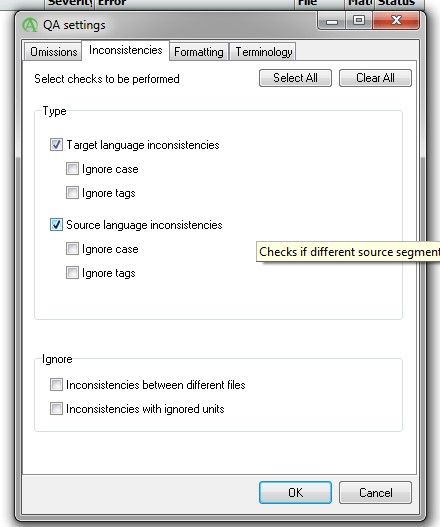
The Omissions tab identifies empty or skipped segments. The Inconsistencies tab allows for cross-file checks of source and target segments.
Formatting & Punctuation
Checks spacing, punctuation, number formatting, and capitalization. It supports language-dependent options like non-breaking spaces before units.
Terminology DICT Creation
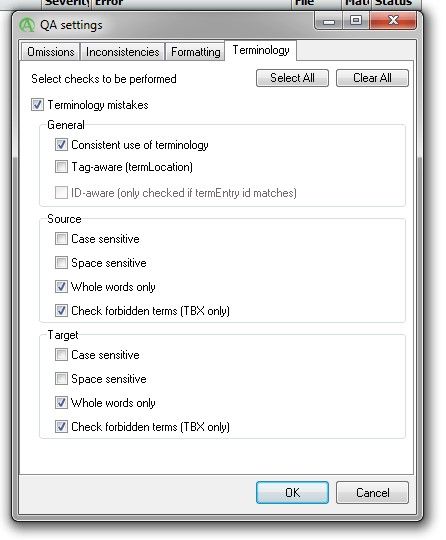
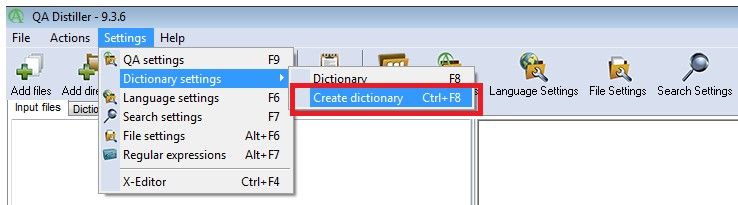
Use the built-in tool to create DICT bases from Excel files. Save them as .dict to enable terminology verification against glossaries.
Running the Process
Add files using the 'Add files' button, include your dictionaries, and click 'Process' to generate a list of possible errors.

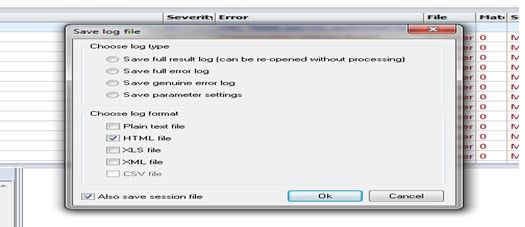
Saving reports
The 'Save log' button creates reports in Excel format. The Full Error Log with yellow highlights is the standard delivery requirement.