Memsource Quality Assurance
Master the automated quality checks in Memsource to ensure tag validity, terminology consistency, and formal error-free translations.
Introduction to Memsource QA
Quality Assurance (QA) is a built-in feature in Memsource Editors. It detects errors in translation by comparing source and target segments, checking the term base, spelling, and tag content.
Instant QA Check
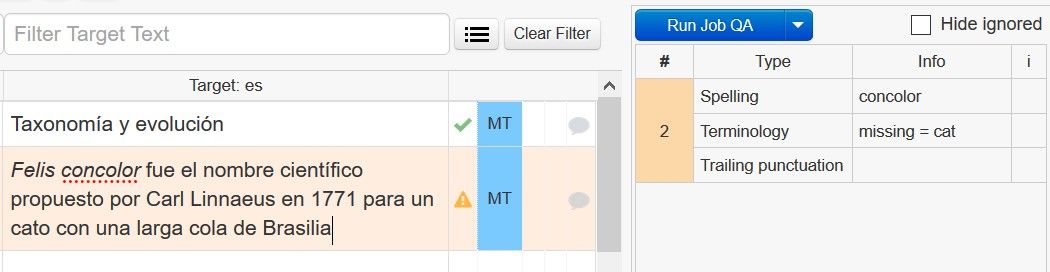
The Instant QA check is run on each segment when it is confirmed. If issues are found, a yellow warning triangle is displayed, and the segment cannot be confirmed until resolved or ignored.
Manual QA Launch
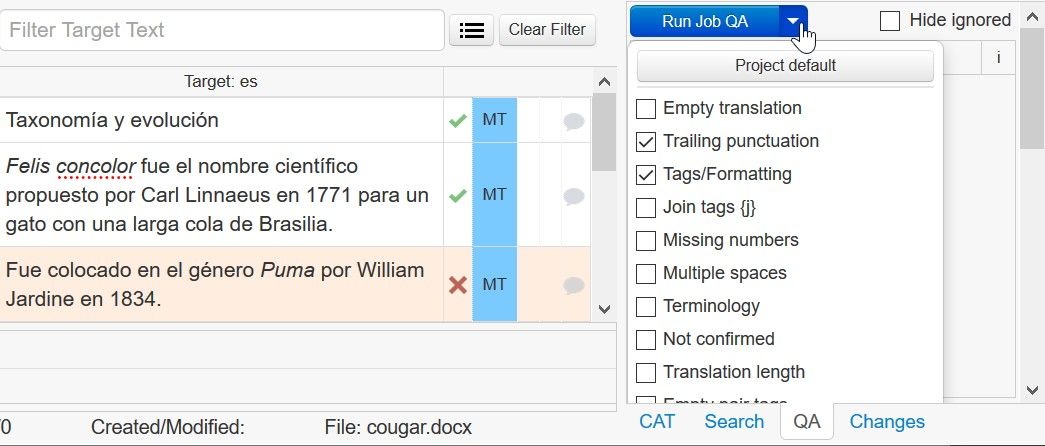
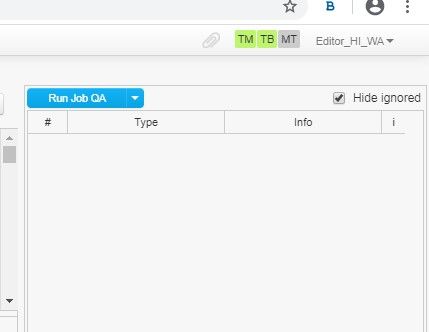
Quality Assurance can be launched manually from the QA Pane in the bottom-right corner. This allows for a comprehensive check of all segments at once.
Mandatory QA Enforcement
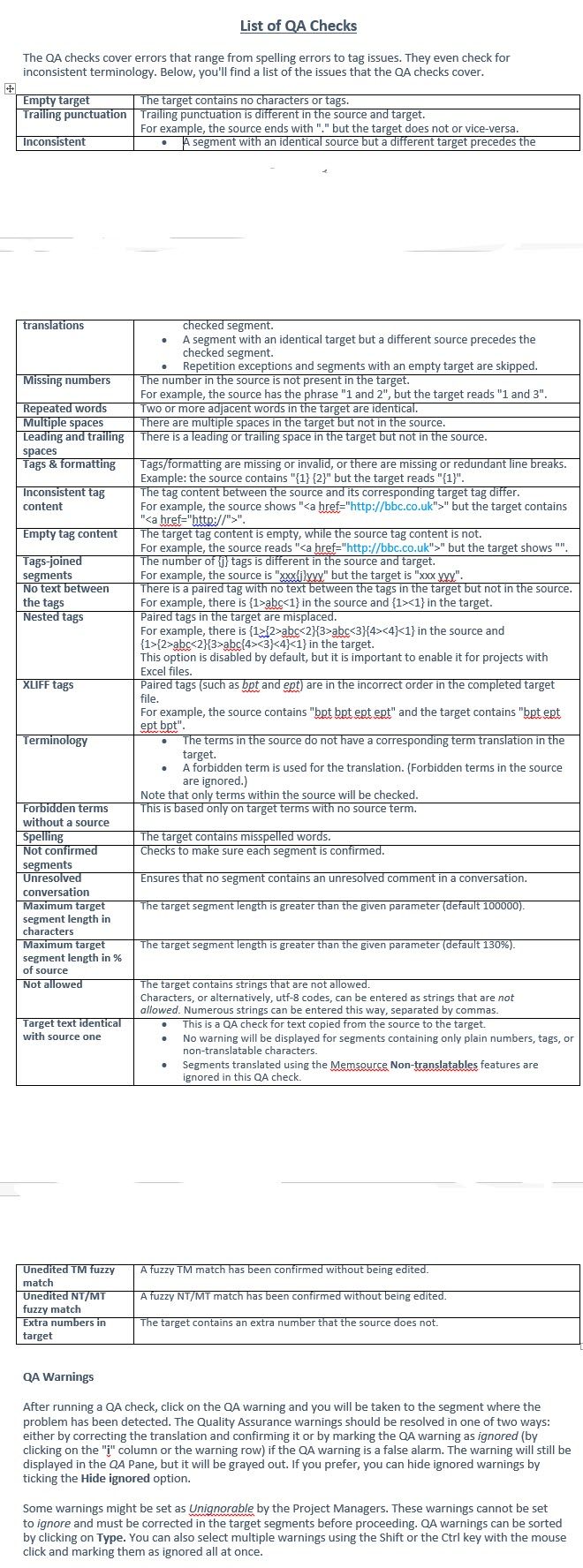
Project managers can set mandatory QA checks. If enabled, linguists must resolve all warnings before the job can be set to 'Completed'.
Final Delivery Requirement
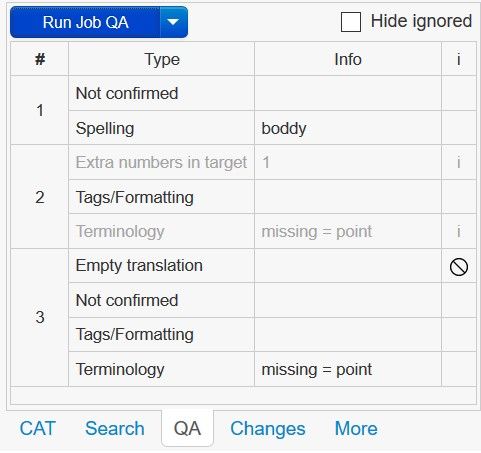
Linguists must share a screenshot showing zero errors (with ignored issues hidden) as part of the final delivery.
Pro Tip: Tag Validity
Always prioritize resolving tag issues. Incorrect tags can lead to corrupted document structures, making the final localized file unusable.